Alerts
alert_box shows an alert inside a section of a show page, form or action modal. Use it for context ("an email will be sent…") or warnings.
Quick example
cm_section "Details" do
  alert_box header: "Information", body: "This is an informational message.", type: :info
  field :title
end
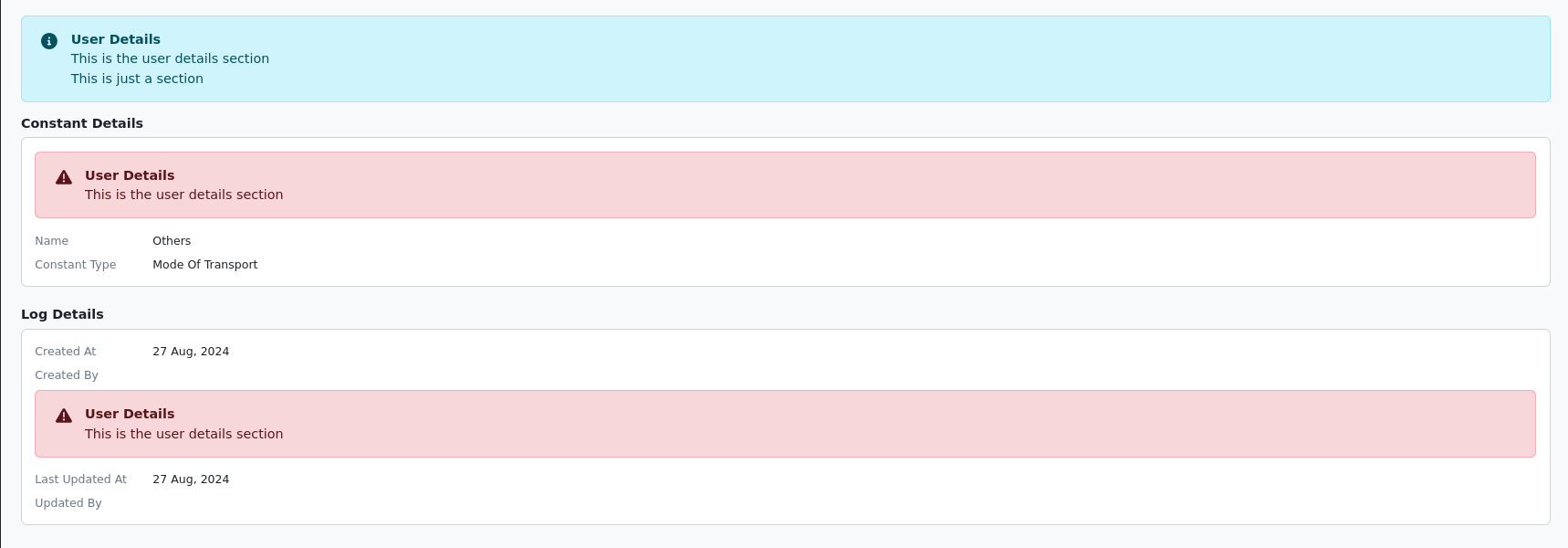
Options
alert_box(header: nil, body: nil, type: nil, icon_name: nil, partial: nil, partial_locals: {}, display_if: ->(_arg) { true }, html_attrs: {})
| Name | Type | Default | Description |
|---|---|---|---|
header | String | nil | Alert title. |
body | String | nil | Alert text. HTML such as <br> is allowed. |
type | Symbol | nil | :info (blue), :success (green), :warning (yellow) or :danger (red). Other values render a plain div. |
icon_name | String | nil | Font Awesome icon class. |
partial | String | nil | Render this partial instead of the built-in alert. |
partial_locals | Hash | {} | Locals passed to partial. |
display_if | Proc | ->(_arg) { true } | Lambda receiving the record; return false to hide. |
html_attrs | Hash | {} | HTML attributes for the alert. Ignored when partial is set. |
note
Alerts can't be placed in nested sections: an alert declared there is shown on the enclosing section.
Recipes
Multi-line body
alert_box header: "Information", body: "This is an informational message. <br>This is a break text.", type: :info
Conditional warning with custom attributes
alert_box header: "Warning", body: "Please review your submission.", type: :warning,
          display_if: ->(user) { user.submissions.any?(&:incomplete?) },
          html_attrs: { id: "submission-warning", data: { turbo_frame: "warnings" } }
Custom partial
alert_box partial: "/users/sessions/alert", display_if: ->(record) { record.present? }
alert_box partial: "cm_admin/main/default_import_notes", partial_locals: { sample_file_path: "/sample.csv" }
Related
- Sections and nested sections
- Custom actions:
success_message/error_messagealerts